For Recall subscribers

A Recall alternative that keeps your files

The summaries, the YouTube transcripts, the tags: all of it as markdown files in a folder on your own computer. Searchable next to everything else you save. Delete Tenoa and the library is still there

$49 once · Up to three desktop computers · 14-day free trial

If you stop paying, everything keeps working

The event loop explained
⌕   ···
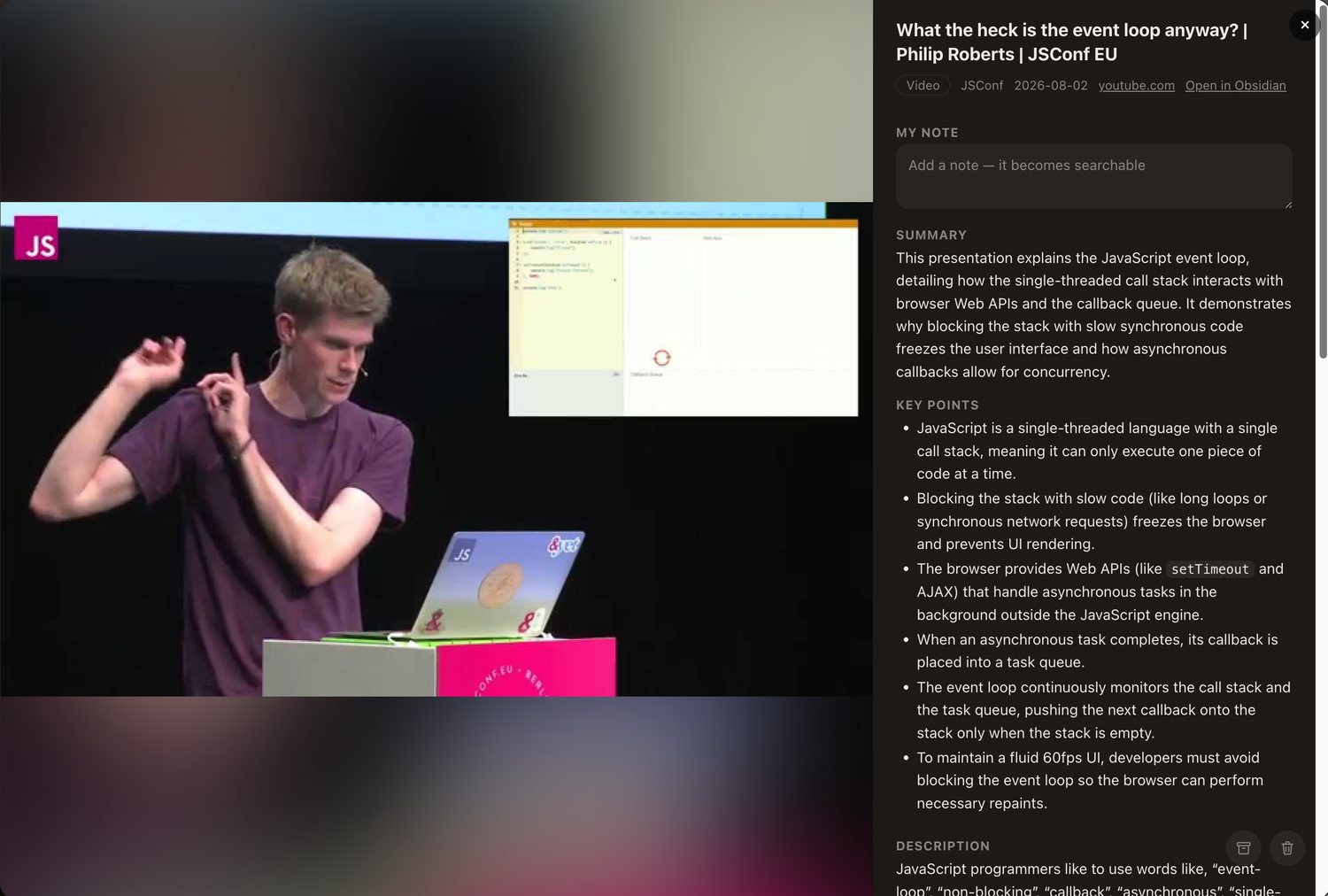
A saved video open in Tenoa with its summary, key points and chapters

What changes when you switch

No account Files on your disk No subscription Import runs on your computer

Recall is genuinely good at what it does. The summaries are excellent, the automatic connections are clever, and if the hosted model and the monthly plan suit you, keep it and close this tab.

This page is for the other situation. You have months or years of cards in there. You want them out as something you own, and you would rather not lose the summaries and transcripts Recall generated along the way.

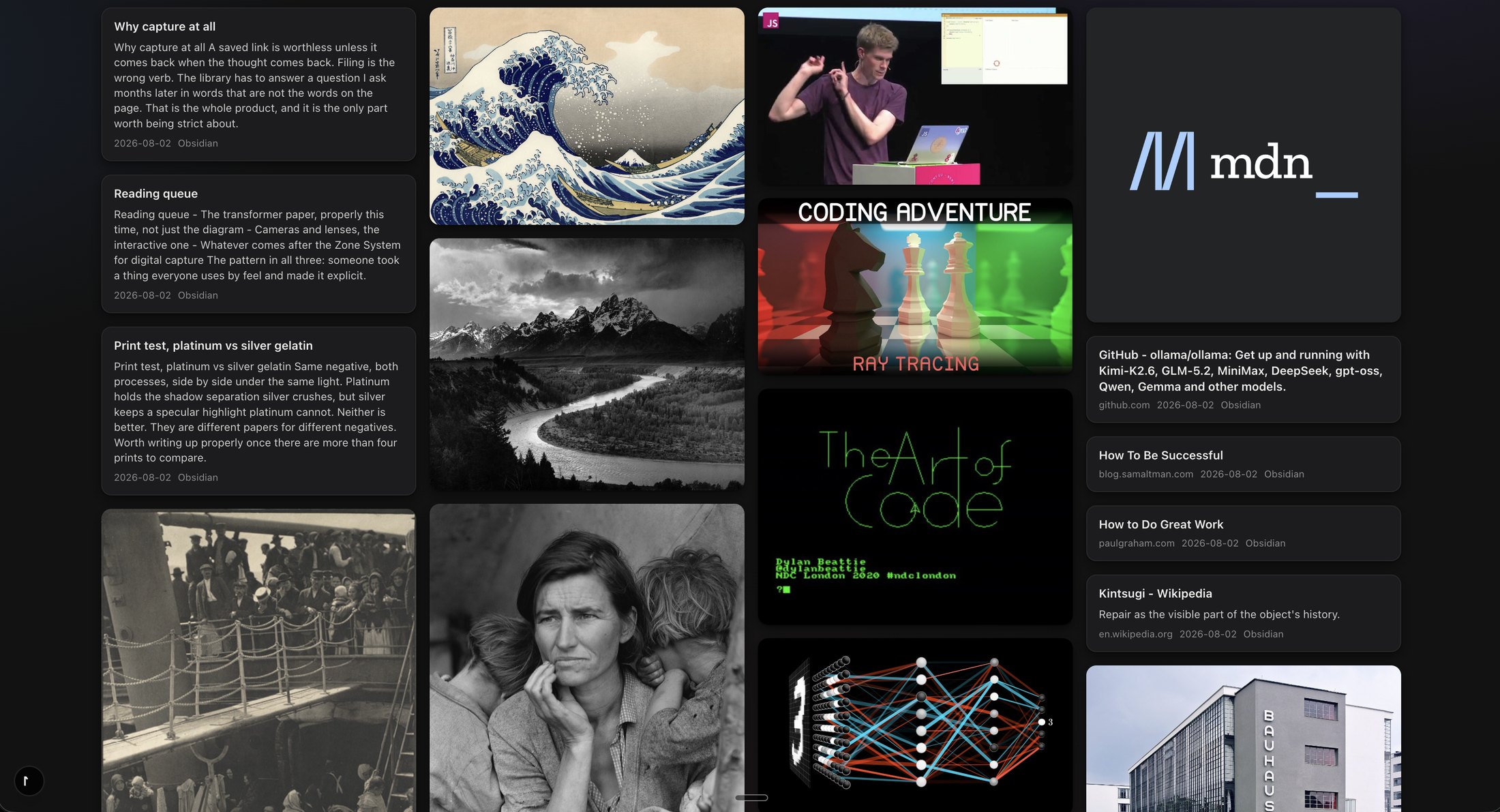
Tenoa keeps that material as plain markdown in a folder on your own computer, with a visual library and search on top. The summary of a video stops being a card in a separate app and becomes text sitting next to everything else you save, readable by any editor and any AI tool you point at the folder.

I did this with my own account first. 101 cards, 63 of them YouTube videos, and the transcripts came through as text.

Side by side

How the two actually compare

The honest version, including where Recall is still ahead

RecallTenoa
Where your library livesIn their app, synced through their cloudA folder on your own disk, as files any app can open
What a save becomesA card in their system, exportable as markdownA markdown file plus the original, from the moment you save
If you stop payingYour saves stay. You drop to the free tier, with 10 AI summaries a monthThe app and your files keep working, summaries included
Summaries and transcriptsExcellent, generated on their serversGenerated on your computer with a local model, or through an AI service you connect with your own key
SearchTheir search and AI chat, on their infrastructureRuns on your computer. Reads inside transcripts, PDFs and screenshots
Related itemsAutomatic connections and a knowledge graph"More like this" on any item, matched on meaning, on your computer
Quizzes and spaced repetitionBuilt in on the paid plansNot a feature. Stay on Recall if this is your workflow
Images and visual savesSecondaryThe main event. Hover any image to save it; the library is a visual grid
MobileiPhone and AndroidiPhone and iPad, free. No Android
PriceFree with 10 summaries a month, then $10 a month billed yearly$49 once. Optional $29 a year for hosted sync and new features

What "keeps your files" means

The transcript is just text in a file

Every item in Tenoa is a markdown file you can open anywhere. For a video that means the summary, the key points, the chapters and the full transcript in one file, with the source link and the date in its header. Tenoa keeps a search index on top so everything stays fast. That index is throwaway. It rebuilds itself from the files whenever it needs to

Three things follow. There is no export step, because the files were yours from the moment you saved them. Any other tool can read the library: a text editor, a backup script, your own AI setup. The app going away is an inconvenience, not a loss

Read the plain-English privacy answer
Tenoa LibraryOn My Mac
MD
The event loop explained.mdMarkdown document · 41 KB · summary, chapters, full transcript
MD
Attention Is All You Need.mdMarkdown document · 18 KB · summary and extracted text
PDF
attention-paper.pdfPDF document · 2.2 MB · the original, untouched
MD
How to Do Great Work.mdMarkdown document · 6 KB · your note, the summary, the tags

Moving over

Get your library out of Recall

Recall exports to markdown, which is already most of the work. Tenoa reads that export and turns it into files on your disk. The whole thing runs on your own computer. Your export never gets sent anywhere, not to me, not to a Tenoa server, not to anyone

  1. Export from RecallUse the web app, not the phone app. Open the main menu, choose Settings, click Export. A zip downloads with every card as a markdown file. One card at a time also works from the card menu, handy for a test run
  2. Check what you gotUnzip it into its own folder and open a few files before you cancel anything. Summaries and transcripts should be there. Automatic connections and quizzes will not be; they do not export
  3. Drop it into TenoaPoint the importer at the folder. Each card becomes a file in your library with its summary, tags, source link and transcript
The full step-by-step import guide
Recall Export101 markdown files
MD
the-event-loop-explained.mdsummary · transcript · tags
MD
how-to-do-great-work.mdand 99 more
wifi off import runs here, on your computer
Tenoa Library101 items · searchable · transcripts intact
MD
The event loop explained.mdsummary · chapters · full transcript · saved 2025-11-02
MD
How to Do Great Work.mdyour note · summary · tags

Fair is fair

Who should stay on Recall

Switching costs an afternoon. It is only worth it if the thing that bothers you is the thing Tenoa fixes

  • The quizzes and spaced repetition are your actual workflownot a bonus. Tenoa does not do these and is not going to pretend otherwise
  • You want new AI features to just appearwithout owning any files or running anything on your own computer. Recall's hosted model is the convenience you are paying for, and it is real
  • You live on Android todayTenoa has free iPhone and iPad apps. It does not have Android

If what you mostly do is save, search and reread, a year of Recall buys the hosted convenience but not the library. The export plus a folder of markdown buys the library

Pricing

Buy the app.
Keep the app

One purchase instead of a yearly plan. The optional annual covers the part that costs money to keep running. It does not rent your own library back to you

Launch price

Tenoa desktop

$49 once

One license for up to three desktop computers, plus your first year of Tenoa Sync + Updates

  • The full desktop app
  • Files stored on your own devices
  • Mac and Windows count together
  • iPhone and iPad apps free
  • 14-day free trial, no card needed
  • 14-day, no-questions refund
Download the free 14-day trial

Your license key arrives by email within a minute of purchase. Refunds are honored for 14 days, no questions asked. Write to hello@tenoa.app if anything goes sideways

Optional after year one

Tenoa Sync + Updates

$29 / year

Hosted syncing across networks, plus new features released after your included year

  • Tenoa-hosted device sync
  • New features while current
  • Same-network sync stays free
  • Security fixes stay free
  • Compatibility fixes stay free

If you stop paying, everything you already own keeps working

FAQ

Questions people leaving Recall ask

Can I export my data from Recall?+

Yes. In the Recall web app, open Settings and click Export. Every card comes down as a markdown file in one zip. You can also export a single card from its menu, which is handy for a test run. The export buttons exist only on the web, not in the phone app

Do YouTube transcripts survive a Recall export?+

Yes. In a real export of 101 cards, 63 of them YouTube videos, the summaries and transcripts came through as text. Recall's automatic connections and quizzes do not export. Check yours before cancelling, since export contents can change

Is there a Recall alternative that stores everything locally?+

Yes. Tenoa keeps every item as a markdown file in a folder on your own computer, with the original image, PDF or page content beside it. Summaries and transcripts are text in that file. Search runs on your computer

Does importing into Tenoa send my Recall data anywhere?+

No. The import runs on your own computer and the export file never leaves it. Tenoa has no server that stores or processes your library. The import guide has the steps

Is Tenoa a full Recall replacement?+

For saving, summaries, search and rediscovery, yes. For quizzes and spaced repetition, no. If those are your daily workflow, stay on Recall

What platforms are supported?+

Today, Tenoa is a Mac app with the Safari extension built in, plus a local web app for Safari, Chromium, and Firefox. The free iPhone and iPad apps are in App Review. The signed Windows installer is targeted for October 1

Get the library out.
Keep it as files

Try it on your own Recall export first. The trial is 14 days and needs no card