
You know you saved it but you can't find it
You type a phrase you remember from a screenshot or PDF to get the file. Buy it once, and the files sit in a folder on your computer that still works if you delete the app.
macOS 14 Sonoma or later · No account or credit card required · Free iOS & iPadOS companion on App Store ↗
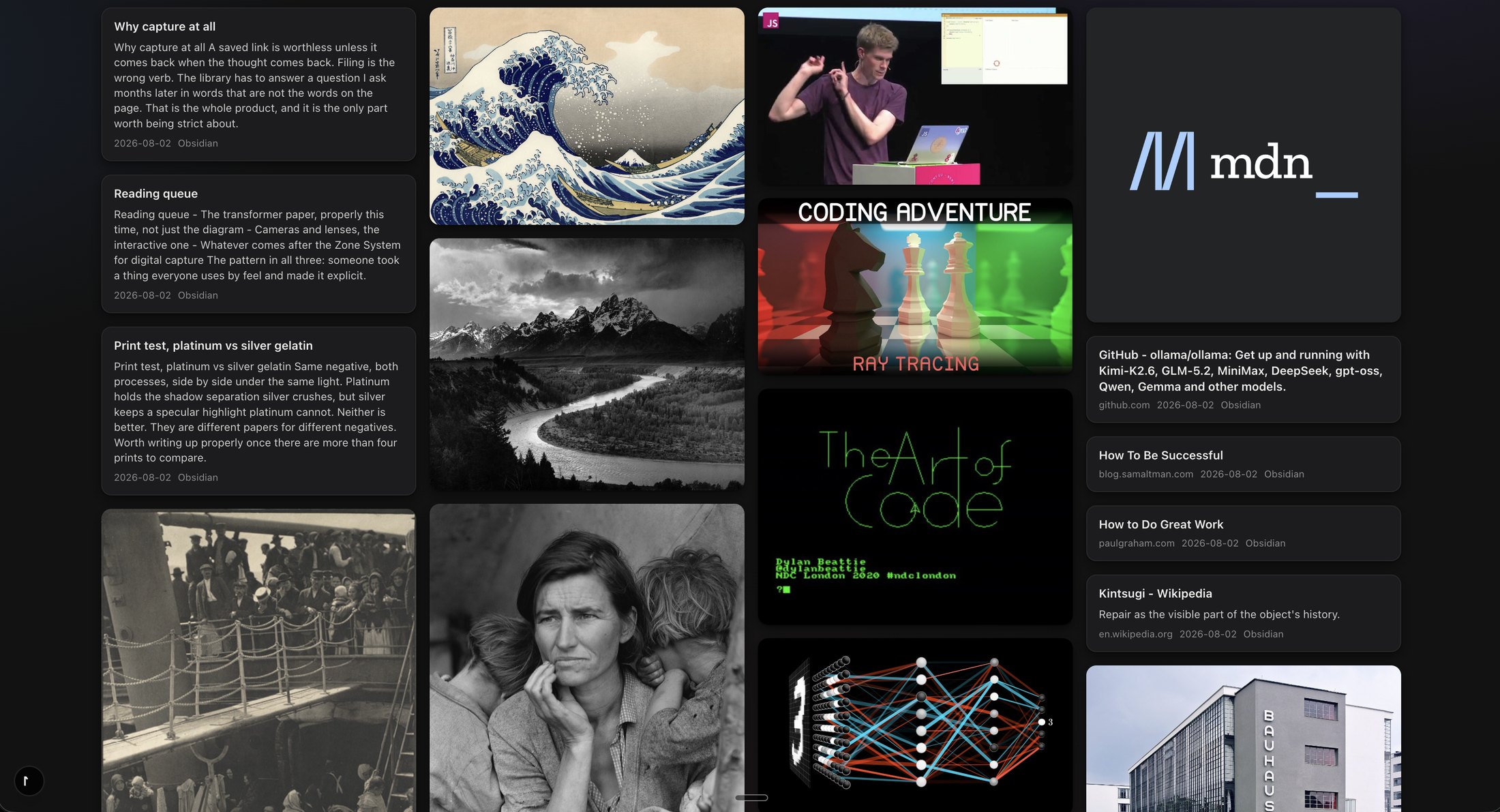
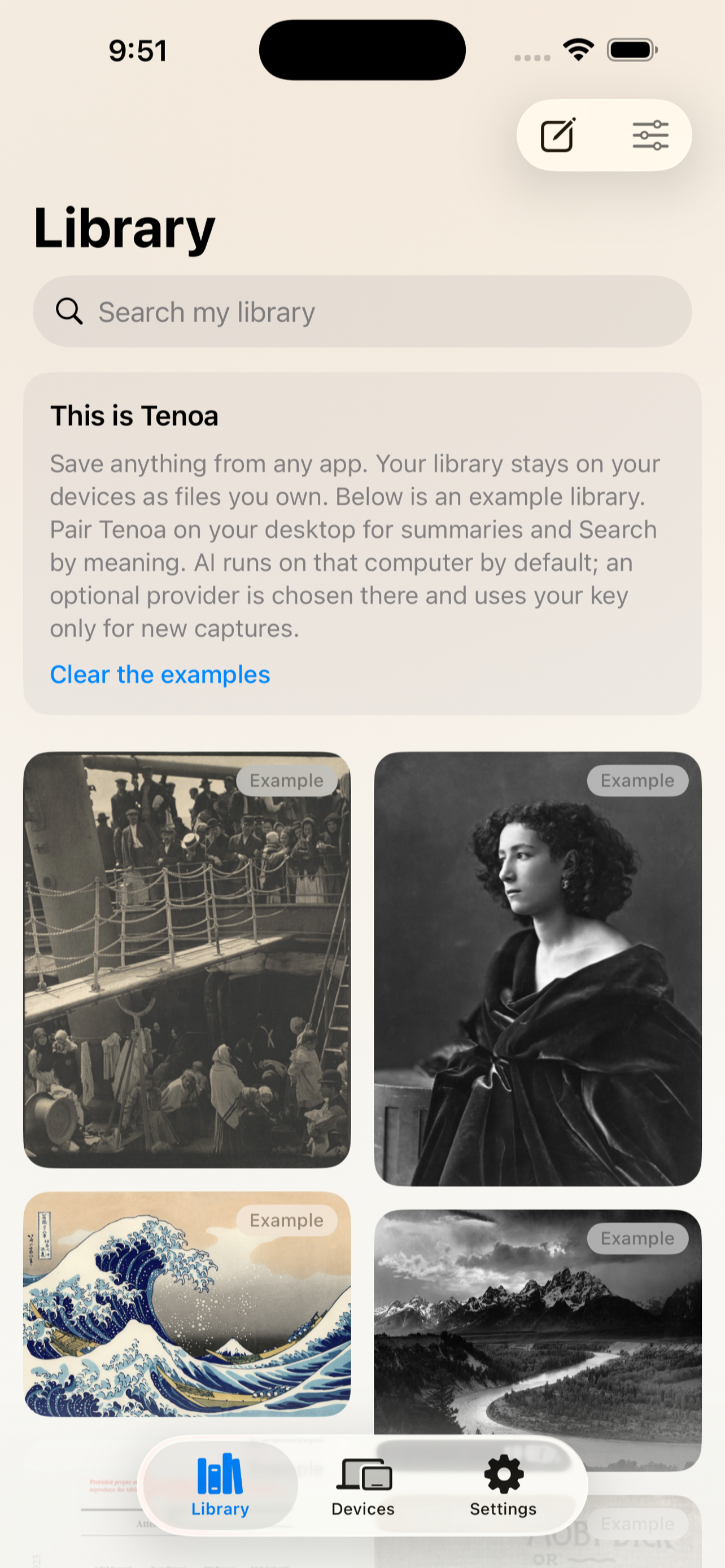
Native desktop speed on your computer, paired with capture on iPhone and iPad. Encrypted device-to-device sync without a hosted cloud account.
No account to make
Your library is not a row in someone else's cloud database. Tenoa works completely offline, with no account creation, no tracking, and no servers reading your saves.
Original file plus Markdown note
Every save lives as an untouched original file alongside a human-readable Markdown note on your SSD. Open your folder in Obsidian, VS Code, or your file browser whenever you want.
AI runs on your machine
Run optical character recognition, speech transcription, and semantic vector search locally with Ollama, or bring your own cloud API key. Your data never trains third-party models.
Save inspiration before a folder decision gets in the way
Organizing files kills the momentum of creative work. When you stumble upon an arresting photograph, an insightful design breakdown, or an essential research paper, you shouldn't have to pause and decide which folder hierarchy it belongs to.
With Tenoa, hover any image in your browser to capture it in full resolution. Drag in a 50-page PDF, paste a YouTube lecture, or save links directly from your iPhone share sheet. Tenoa extracts the text, renders crisp thumbnails, and drops everything into your visual inbox ready for recall.
Search what is inside the file, even if you forgot what you named it
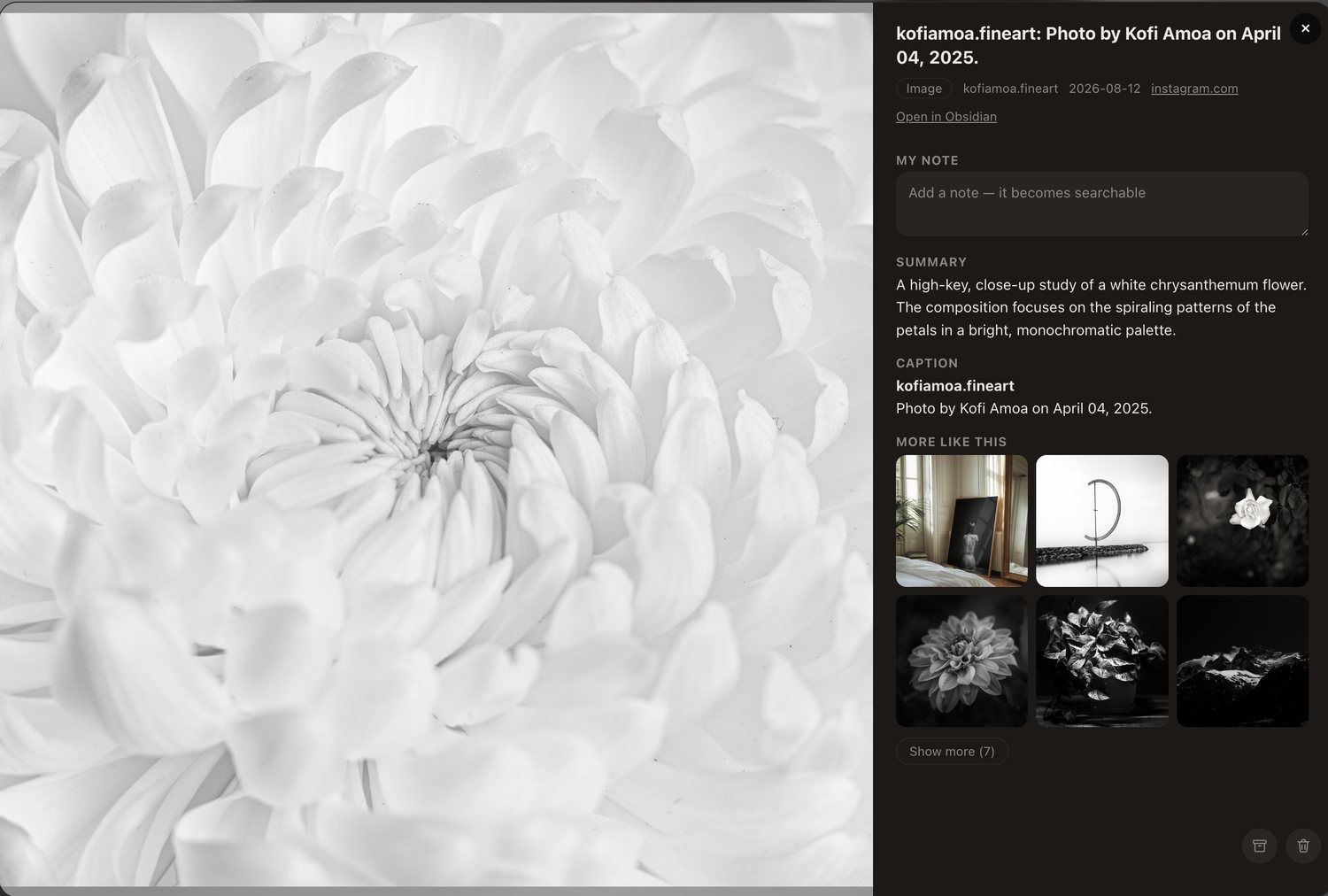
You never have to remember arbitrary filenames like IMG_4920.jpg or paper_draft_v2.pdf. Tenoa runs optical character recognition on screenshots, transcribes spoken words inside videos, and indexes the entire body of saved PDFs.
Semantic vector search matches ideas by meaning rather than rigid keyword matching. Searching for "quiet mountain landscapes" surfaces alpine photography you saved months ago, even if the word "mountain" never appears in the title.

Jump straight to the timestamp or paragraph that matters
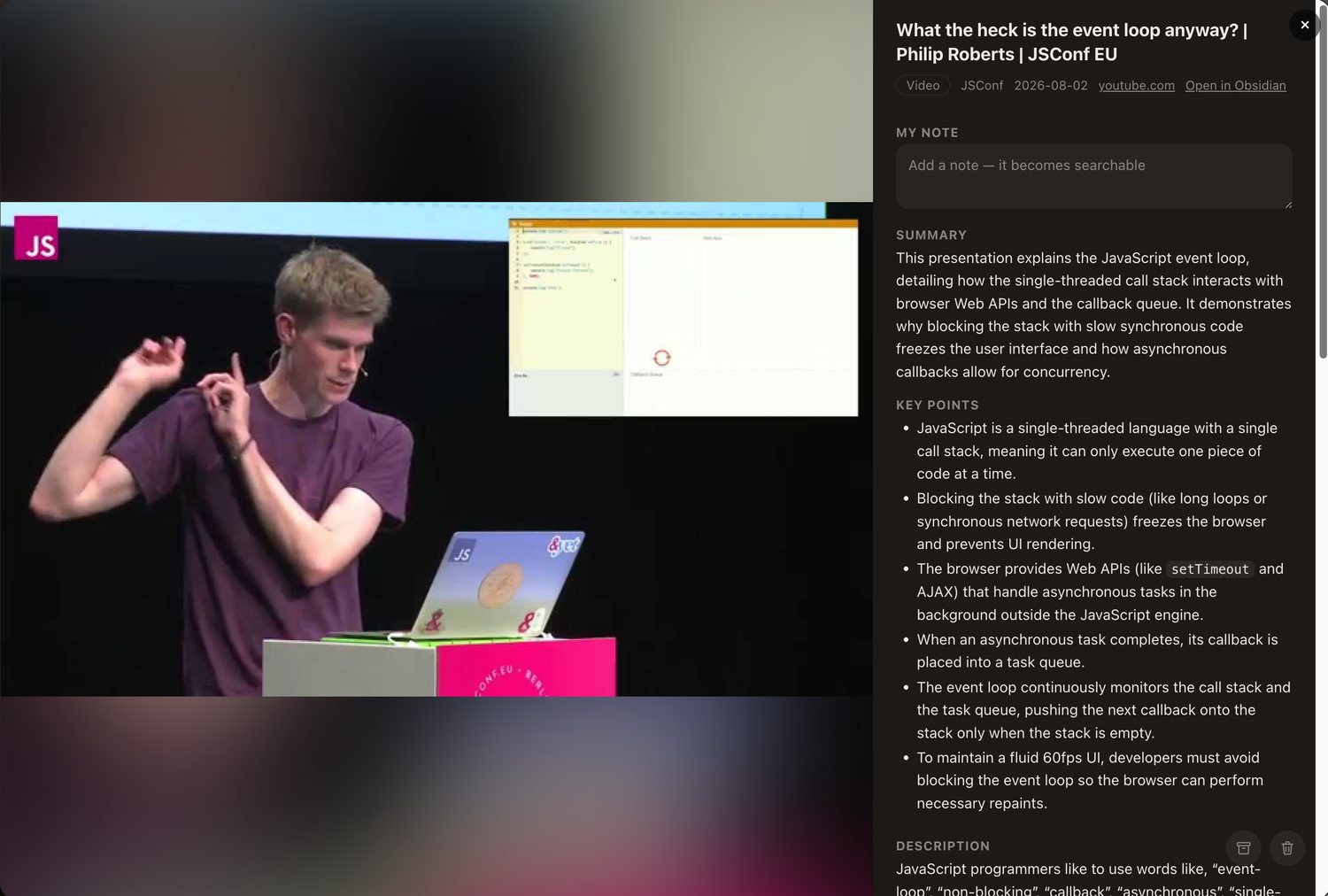
Saving video lectures and long technical guides is useless if you have to scrub for an hour to rediscover one specific insight. Tenoa generates automated chapter markers and transcript indexes, letting you jump directly to the moment an idea was discussed.
Your own personal notes sit at the top of every file in clean Markdown, distinguished from automated summaries. As your library grows, Tenoa surfaces related material about the same concept, helping you connect research across months of collecting.
Your files belong to your desktop, not an app database
Most bookmarking apps and visual moodboards trap your library inside proprietary web silos. If they shut down, get acquired, or triple their subscription price, your years of curation vanish. Tenoa writes ordinary files directly to your SSD.
From your iPhone share sheet straight to your desktop
When you find something worth remembering on your phone, you want it saved without opening a full desktop app or typing tags. Tap Share in your browser or your favorite app on your phone, and your save lands directly in your local library on your computer.
The short 18-second capture beat demonstrates real device-to-device synchronization in action.
Watch Kofi quit Tenoa, move the application to the Trash, and open the library folder on the desktop with every file and Markdown note completely intact.
Watch feature walkthroughs, initial desktop setup, Instagram saves, and local AI indexing.
A permanent library versus rented cloud storage
Compare Tenoa’s local-first architecture with traditional subscription bookmarking tools.
| Capability | Tenoa (Local-First) | mymind / Recall |
|---|---|---|
| Pricing Model | $49 one-time purchase Includes 1st year hosted sync & updates |
$120 – $129 / year $156/yr if paid monthly |
| Where Files Live | On your own SSD A standard folder on your desktop |
Vendor cloud database |
| File Accessibility | Available directly in Finder Open instantly in Obsidian or Preview |
Requires manual export archive to access files outside the app |
| If You Stop Paying | App & local library keep working Free local Wi-Fi sync never expires |
Sync, new saves, or advanced features locked behind active subscription |
| AI Privacy | Local on-device models (Ollama) Or connect your own API key |
Processed on vendor cloud servers |
| Offline Capability | Full library search & reading offline | Degraded or inaccessible without connection |
| Mobile Companion | Free iOS & iPadOS App on App Store | Included only while subscription is active |
Simple, honest ownership
Try Tenoa risk-free with your real library for 14 days. If it earns its place on your computer, pay once and keep it.
Tenoa Desktop Lifetime
For visual thinkers, researchers, and creators.
Install on up to three desktop Macs. Includes your first full year of hosted cross-network relay sync and software updates.
- Full native desktop app for macOS (Apple Silicon & Intel)
- Every original file and Markdown note saved to your own disk
- Local AI embeddings and on-device text search
- Free iOS & iPadOS companion app pairing
- 14-day money-back guarantee
After Your Included Year
No forced subscriptions. No automatic lockouts.
Only for continued hosted relay syncing across outside networks and new major updates.
If you choose not to renew:
✓ Your app continues to work.
✓ All your saved files and notes remain on your computer.
✓ Local same-network Wi-Fi sync stays free.
Hosted relay syncing pauses until you choose to renew. You are never penalized for staying on your existing version.
Frequently asked questions
Have a question not answered here? Reach out directly to the developer:
hello@tenoa.app ↗
Go save something worth finding again
Try Tenoa free for 14 days. No card required, no account creation, and no subscription traps.